Ready when you are.
Capture with your iPhone or a compatible external microphone. Recording can continue with the screen locked.
 SafeSteno.
Meet SafeSteno
SafeSteno.
Meet SafeSteno
A little more ownership. A lot less noise.
Your conversations, ideas and voice notes.
Recorded on your iPhone or Apple Watch.
Saved wherever you choose.
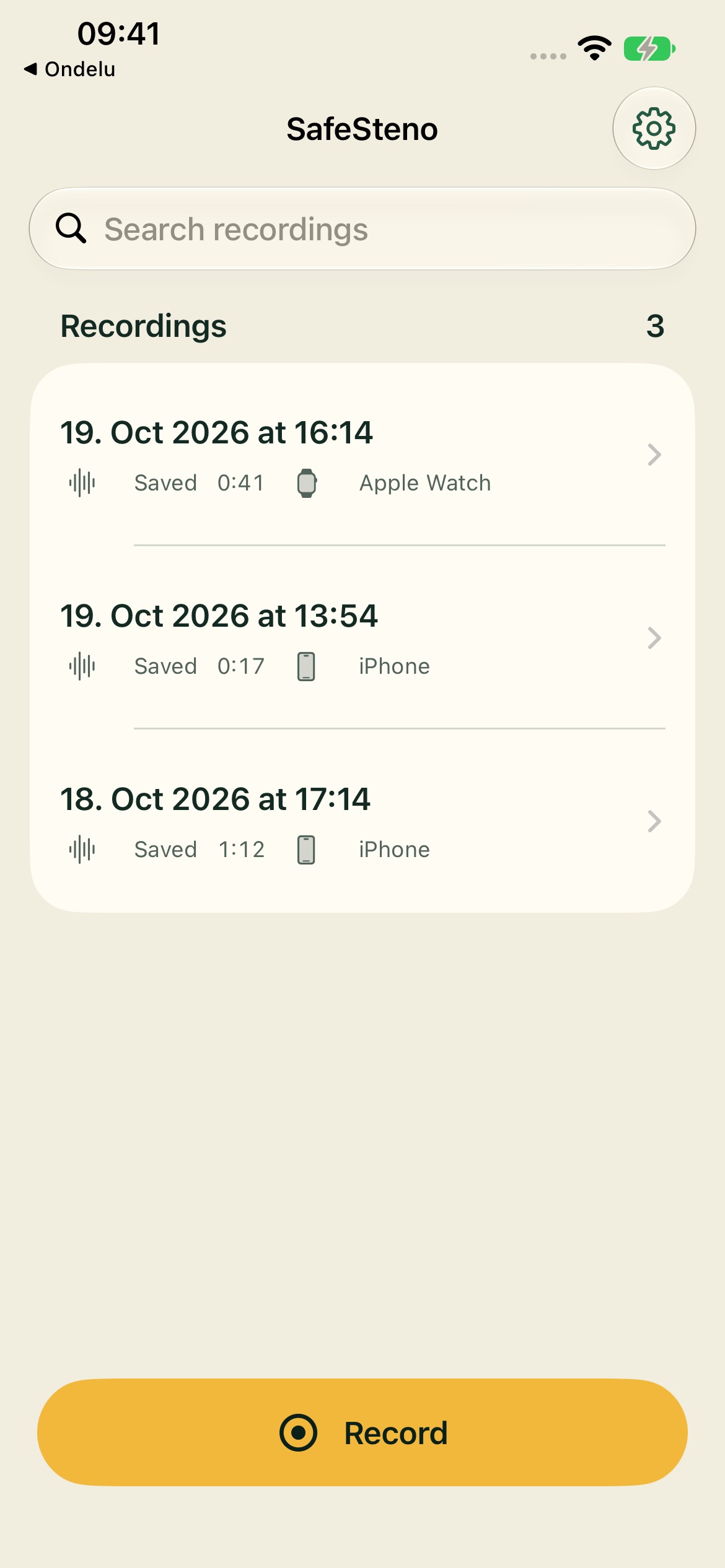
App preview with sample recordings.
A conversation shouldn’t need an account to become a recording.
SafeSteno keeps the essentials close: a reliable recorder, a simple library and a clear choice about where your audio lives. Start on your phone or your wrist. Listen back when you need to. Keep the original.
Read our approach to privacyCapture with your iPhone or a compatible external microphone. Recording can continue with the screen locked.
Watch recordings stay on Watch until your iPhone confirms a saved copy. Transfer resumes when the devices are available.
Play back, name and find a recording. Share a single audio file through the familiar iOS share sheet.
From a thought on a walk to a conversation at your desk. Your audio has a straightforward way home.
Use your iPhone or paired Apple Watch. An internet connection isn’t needed to capture audio.
Your iPhone holds the saved recording. Watch removes its copy only after iPhone confirms a durable import.
Add your storage once. Saved audio, including existing recordings, is delivered automatically to ready targets.
Delivery runs while SafeSteno is open and iPhone is unlocked. Unavailable targets wait and retry. Local recordings stay on your phone.
A server you run. A folder you choose.
Keep your recordings in a place that fits your life.
Connect an S3-compatible endpoint and bucket, including self-hosted storage such as SeaweedFS. Your audio uploads directly from your iPhone over HTTPS.
Custom endpoint · Original M4A filesDestination credentials are stored in iPhone Keychain. Nothing is sent until you configure a target.
A CLEAR RELATIONSHIP WITH YOUR AUDIO
No SafeSteno recording backend. Remote targets receive readable audio over HTTPS. Local protection and encrypted Watch handoff stay in place.
A FEW GOOD QUESTIONS
Yes. Audio capture on iPhone and Apple Watch works offline. Set up the Watch with the paired iPhone app first. Network uploads wait for connectivity; local Files-folder targets can work offline.
The current app focuses on audio recording, playback and storage targets. Transcription is paused. SafeSteno does not send audio to a cloud transcription service.
The original saved M4A audio file. Ready targets receive saved history and new recordings automatically. Saved location information, device metadata and earlier transcripts are not uploaded as a separate manifest. Your local audio stays on iPhone.
Recordings use system file protection on your devices, and Watch transfers are encrypted until iPhone confirms import. Remote audio uploads use HTTPS, without additional client-side payload encryption. Anyone who has access to your destination can read the audio. Destination credentials stay in iPhone Keychain.
After initial setup, you can record on Watch while iPhone is unavailable. The saved recording stays on Watch and transfers when possible. A completed transfer alone does not remove it: iPhone must confirm that it has durably saved the recording first.
SafeSteno is currently in development. There is no public App Store release or public TestFlight link yet. The preview on this page shows the app with sample recordings.
We’re building SafeSteno for iPhone and Apple Watch.
Recording, listening and storage. Thoughtfully kept simple.